Creative Submission Guidelines
Who is this for: Advertisers and creative teams preparing ad creatives for submission to MomentScience placements.
Outcome: Produce compliant, high-performing creatives by following mandatory specifications for logos, images, and copy optimized for mobile-first, high-intent placements.
Overview
MomentScience delivers offers across key moments in the user journey, during browsing, at checkout, and post-transaction. These placements reach users when they are most engaged, so your creative must communicate value instantly and clearly.
Users scan content in seconds, not minutes. Your creative needs to work hard in a small space.
Key Design Principles
Your creatives work across different devices and moments in the user journey. Here is what makes them effective:
- Mobile-first optimization: Design for small screens first. Tight layouts, readable text, and clear imagery ensure your creative works without zooming or scrolling.
- Instant value communication: Users scan offers in seconds. Lead with benefits, not features. Answer "what is in it for me?" immediately.
- High engagement focus: Clear, benefit-driven copy outperforms vague promises. Users engage when they understand exactly what they are getting.
- Consistent brand experience: Your logo, colors, and messaging should align visually. Disconnected creatives undermine trust.
Mobile performance is your baseline. If your creative works well on phones, it performs better on larger screens.
Creative Specifications
These dimensions are recommended. The platform validates technical floors in the dashboard, but partners that hit recommended sizes consistently see better rendering quality and engagement.
Logo and Brand Image
Logo Format and Size
- File format: PNG (preferred). Also accepts JPG, GIF, SVG, WebP.
- Dimensions: 500 x 500 pixels
- File size: Maximum 1 MB
- Background: Transparent (recommended)
Offer Image Format and Size
- File format: PNG, JPG, GIF, SVG, WebP
- Dimensions: 1024 x 1024 pixels
- File size: Maximum 1 MB
Design Specifications
- Logo must fit within the center 70% of the canvas
- Use no unnecessary padding
- Ensure high resolution for clarity on all devices
Padded logos or low-resolution images are commonly rejected. Crop logos tightly to the visible brand mark.
Hero Banner
Wide banner used in featured placements, including Perkswall featured carousel and hero rotations.
- File format: PNG, JPG, GIF, SVG, WebP
- Dimensions: 1500 x 420 pixels (~3.57:1)
- File size: Maximum 2 MB
- Design guidance: Keep critical content centered. Mobile crops aggressively from the sides, so keep key content in the center 60%.
Video Creative
Use video when motion strengthens the message (product demos, lifestyle storytelling, awareness campaigns).
- File format: MP4 (preferred). Also accepts MOV, WebM, AVI.
- File size: Maximum 500 MB
- Recommended duration: 6-15 seconds
- Recommended aspect ratios:
- 1:1 (square) for in-feed and embedded placements
- 9:16 (vertical) for full-screen mobile placements
- 16:9 (landscape) for desktop and tablet placements
- Design guidance: Communicate value in the first 1-2 seconds, design for sound-off viewing, and close with a clear CTA.
For best performance, provide multiple aspect ratios and let MomentScience serve the best fit by placement.
Copy Specifications
Use these ranges to ensure proper display and strong performance across placements.
Field | Minimum | Target | Maximum |
|---|---|---|---|
Header/Title | - | 30-45 characters | 50 characters |
Short Description | 40 characters | 60-90 characters | 140 characters |
Long Description | 80 characters | 100-130 characters | 180 characters |
CTA (Yes) | - | 2-3 words | 4 words |
Aim for the target range. Copy that's too short may lack impact, while copy exceeding the maximum will be truncated.
Customization Options
Dynamic Macros
Add dynamic fields passed to MomentScience so copy can adapt to each user.
Macros only render when the corresponding payload field is present. Always include a fallback value to avoid blank copy when a payload value is missing.
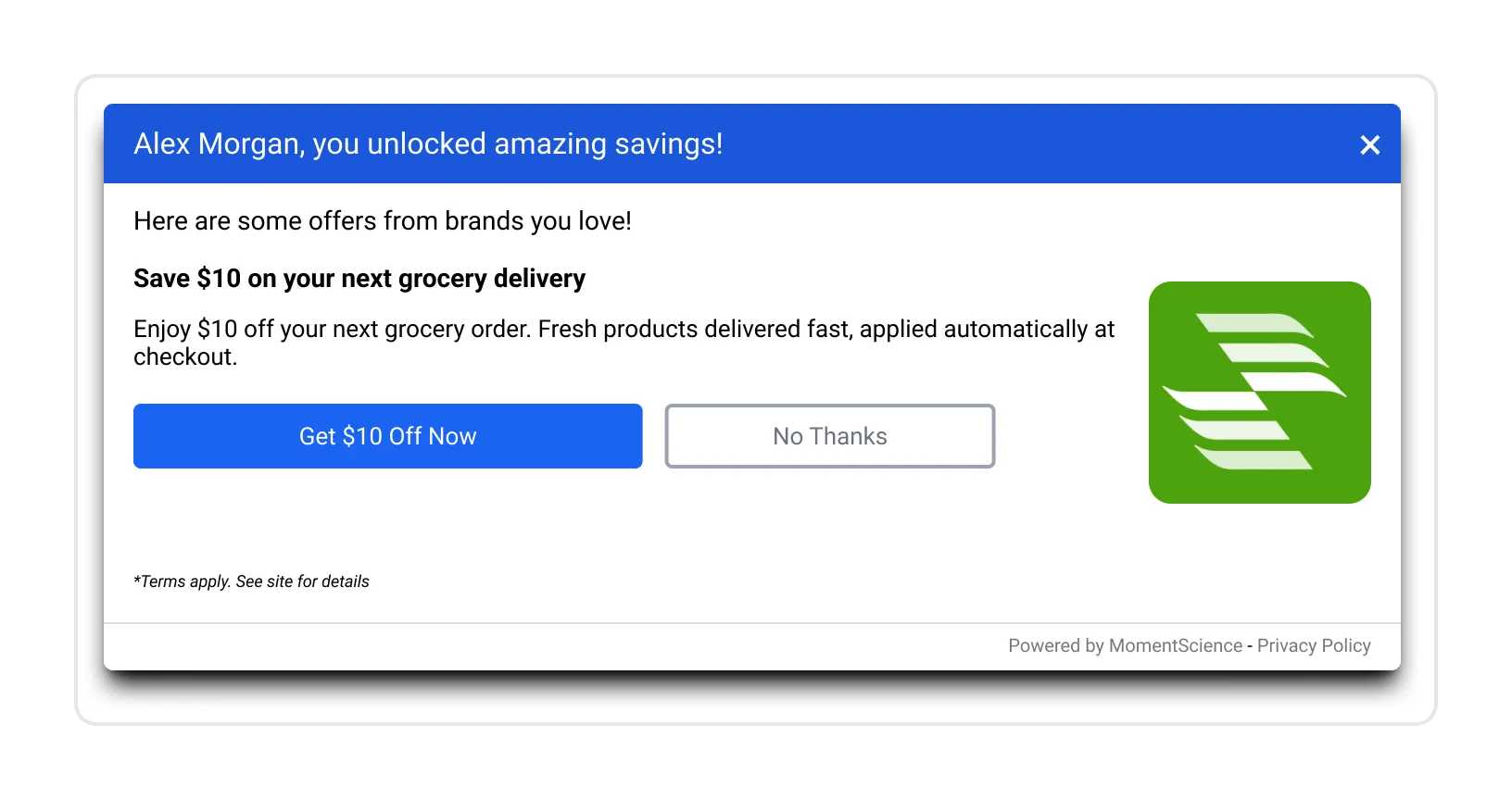
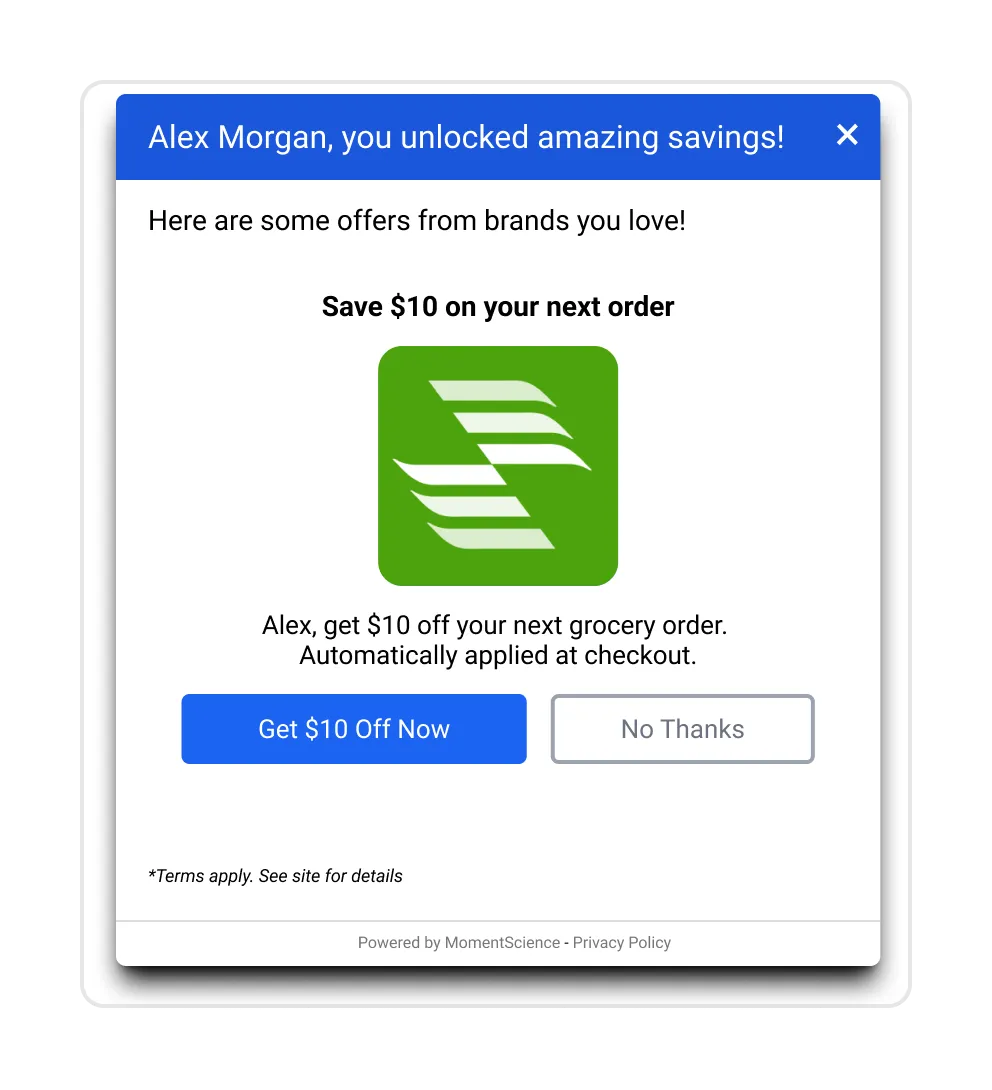
- First Name (with fallback): Example: Save 30%, {{firstname|'there'}}
- Last Name (with fallback): Example: Welcome back, {{lastname|'there'}}
For detailed macro implementation and additional available fields, Implementing Macrossee Implementing Macros.
Description Options
Offer descriptions can include:
- Text descriptions
- Bullet lists
- Icons
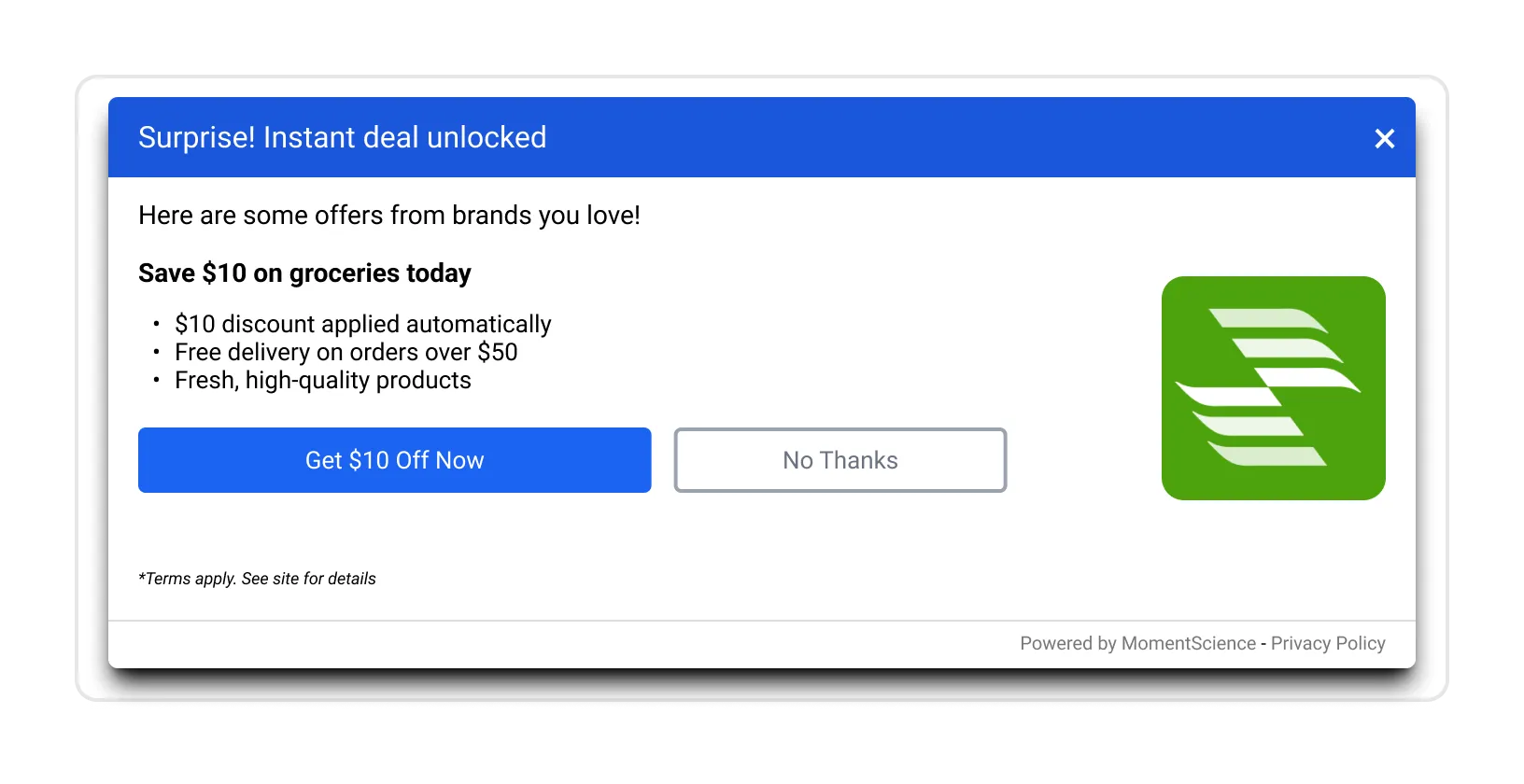
The Short Description and Long Description fields support HTML formatting, allowing you to style content with bullet points, emoji icons, and custom list styling.
Character Limits for Bullet Points
- Long Description: up to 30 characters per line, up to 4 lines
- Short Description: up to 30 characters per line, up to 3 lines
<ul style="padding-left: 10px; list-style: none; margin: 0;">
  <li style="margin-bottom: 6px;">🚚 Free shipping on all orders</li>
  <li style="margin-bottom: 6px;">✅ No promo code needed</li>
  <li style="margin-bottom: 6px;">⏳ Limited-time offer</li>
</ul>
The SDK can render beyond these recommendations (up to 5 lines on desktop and 4 lines on mobile), but going beyond recommended limits usually degrades readability.
Tracking and Conversion
Provide tracking URLs to measure performance and process payouts.
Standard Tracking (Single Conversion)
Use this format for offers with one conversion event and fixed payout:
https://track.adspostx.com/track/?click-id={click_id}Event-Based Tracking (Multiple Conversions)
Use this format for offers with multiple events or variable payouts:
https://track.adspostx.com/track/?click-id={click_id}&measurement=1&event={event_id}&payout={payout}Additional Parameters
- sale_amount: Sale amount for Cost Per Sale (CPS) goal tracking. Use this parameter alongside payout when tracking the actual sale value for CPS calculations. For example: sale_amount=149.99
- event: Event type identifier required for variable payout tracking. Common values include purchase, signup, lead, or custom event names. For example: event=purchase
- payout: Payout amount for the conversion in USD. Specify the dollar amount (e.g., 25.50), not cents. For example: payout=25.50
- Additional custom parameters as needed for campaign-specific tracking requirements
Replace {click_id}, {event_id}, and {payout} with values or macros from your tracking platform.
The postback parameter is click-id, with a hyphen. Its value is the adpx_click_id that MomentScience adds to your landing page URL (underscores there). Keep the trailing slash after /track/.
Writing Guidelines
Strong copy communicates offer value quickly. Users decide whether to engage based on what they understand immediately.
Your creative's text does three jobs: it captures attention, explains value, and motivates action. Poor copy can undermine excellent design, users won't engage with offers they don't quickly understand.
Short vs. Long Description
If short and long descriptions read the same, they are ineffective.
Short Description
- Purpose: Quickly convey the primary benefit for mobile users
- Character limit: 60-90 characters
- Content: One clear benefit, no redundant brand naming
- Example: Save up to 30% on your next rental
Long Description
- Purpose: Add context and reassurance for desktop and expanded placements
- Character limit: 100-130 characters
- Content: Expand the short description without introducing a different offer
- Example: Save up to 30% on your next rental. Discount applies automatically at checkout.
Header Best Practices
Headers are crucial in capturing user attention and setting expectations for your offer. They play a significant role in user engagement.
Best practices
- Clearly state one specific idea.
- Focus on outcomes and benefits rather than features.
- Use action-oriented language.
- Keep headers concise and easy to scan.
- Avoid jargon and ambiguous terms.
Common Mistakes to Avoid
- Using compound phrases that dilute the message.
- Stating category names instead of benefits (e.g., "Apparel Sale" vs. "Save 40% on Apparel").
- Redundant brand names, as the logo already provides branding.
- Exceeding 50 characters, which may lead to truncation on mobile.
- Making vague promises (e.g., "Amazing Deals" vs. "Save 30% Today").
Quality | Example | Why |
|---|---|---|
Good | Save 30% on your next order | Clear benefit, specific discount |
Good | Get 4 bottles of wine for $24.95 | Specific offer, clear value |
Good | Free shipping on orders over $50 | Actionable, benefit-focused |
Poor | Brand name category savings | Generic, no specific value |
Poor | Amazing wine deals | Vague, no concrete benefit |
Poor | Check out our latest apparel collection today | Too long, not benefit-focused |
Description Best Practices
Descriptions work with the header to provide complete offer information. They answer the question: "What's in it for me?"
Best Practices
- Expand on the header with concrete details
- Explain how the offer works (auto-applied, code needed, etc.)
- Include relevant product details or limitations
- Address common questions or concerns
- Use clear, conversational language
- Focus on user outcomes, not brand features
Common Mistakes to Avoid
- Repeating the header word-for-word
- Including brand name when logo is present
- Using excessive punctuation, or bullet lists that go past the limits in Character Limits for Bullet Points
- Generic filler language ("great deals," "amazing quality")
- Introducing new concepts not mentioned in short description (long only)
Quality | Example | Why |
|---|---|---|
Good | Get premium wines delivered with automatic savings at checkout | Explains process, adds value |
Good | Enjoy curated selections with free shipping on orders over $50 | Specific details, clear benefit |
Poor | Save 30% on your next order from Acme Wines today | Redundant brand name, no new info |
Poor | Amazing quality products at great prices | Vague, generic |
Poor | Visit our website to learn more about this offer | Not benefit-focused |
Brand Name Usage
General rule: do not repeat the brand name in copy when the logo already establishes identity.
Use brand names in copy only when:
- The brand itself is a value signal
- The logo is unclear
- Legal language requires disclosure
- Multiple brands need disambiguation
Call-to-Action Guidelines
Recommended CTAs:
- Unlock deal
- View offer
- Get discount
- See savings
- Claim offer
- Start saving
Avoid generic CTAs:
- Yes Please
- Learn More
- Continue
- Click Here
We may suggest alternative CTAs based on your offer type and our performance data. CTA optimization can improve click-through rates.
Common Rejection Reasons
Visual Assets
Logo padded with whitespace
Image resolution below recommended dimensions
Hero banner unsafe area used for critical text
Video file size above 500 MB
Copy Issues
Text exceeds limits
Short and long descriptions are identical
Header lacks clear value
Brand mention repeated unnecessarily
Technical Requirements
Missing tracking URL
Missing payout details
Postback URL uses click_id instead of click-id
Submission Process
Required Information
Submit the following for each creative:
- Brand information: name and logo
- Creative assets: logo, offer image, hero banner, and/or video
- Copy elements: header/title, short description, long description, CTA
- Campaign details: payout model and tracking URL with macros
Example Submission
This example demonstrates a properly formatted creative submission.
Field | Content |
|---|---|
Advertiser | ACME WINES |
Header/Title | Get 4 Bottles of Wine for $24.95 + Free Shipping |
Short Description | Save on premium wines delivered straight to your door. |
Long Description | Enjoy curated, organic wines tailored to your taste. Low-sugar and low-sulfur options available, with savings applied at checkout. |
Payout | $75 |
Tracking Link | https://go.domain.com/ABCD?adpx_click_id={click_id} |
Desktop Examples
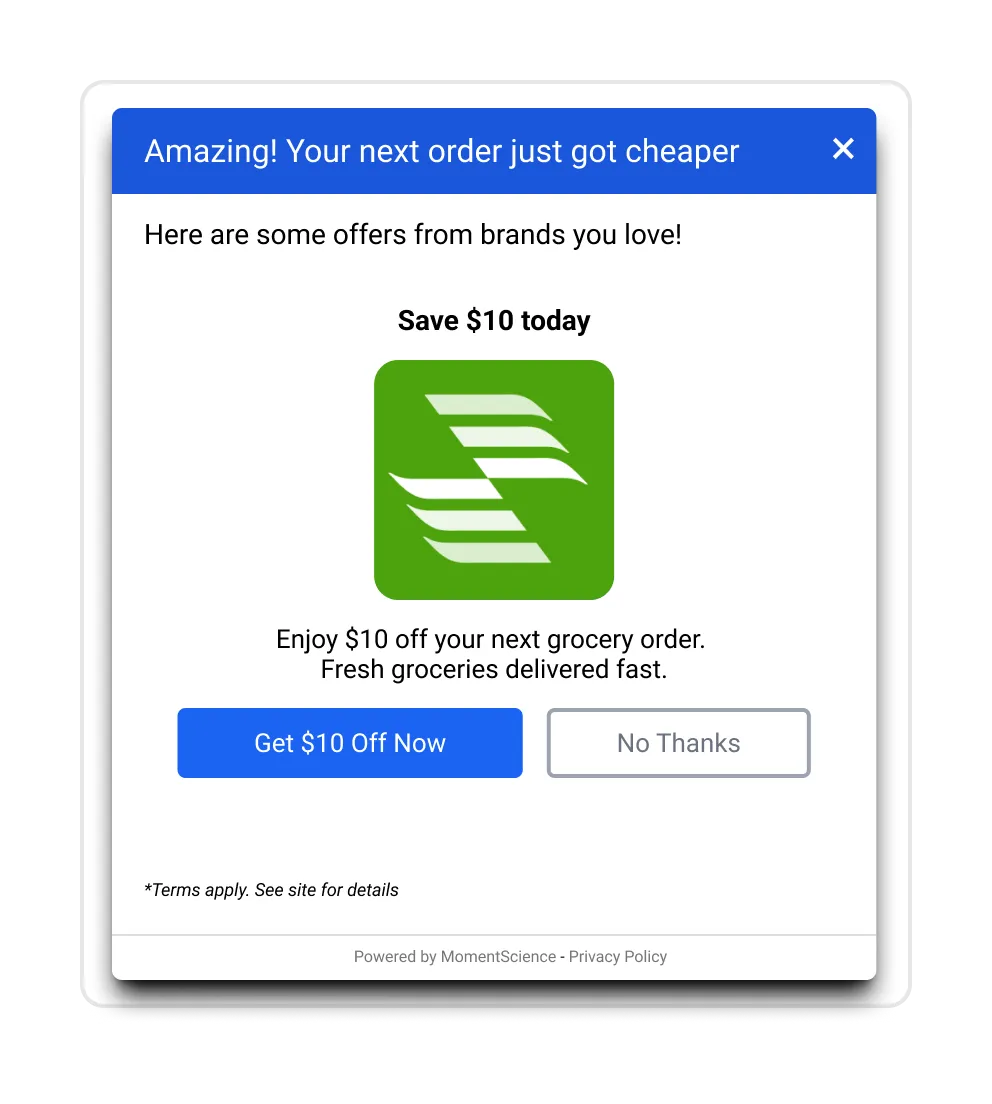
Mobile Examples
📢 If you're running into any issues while going through the integration process, feel free to contact us at [email protected]